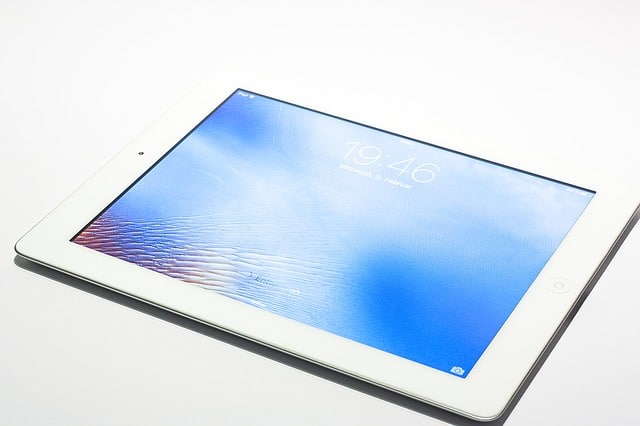
iPad tips can be quite helpful. Getting all those tips together can be laborious, though. You are a busy professional, after all. Here are a few of the most convenient tips and tricks compiled especially for the iPad. Use the ones that work for you.
If you want to stream content with your iPad, you will have to be aware of battery life. A simple way to get more play time out of each charge of the battery is to use a low screen brightness setting. You probably won’t even miss using the brightest setting.
Keep your bill under control by tracking the amount you spend on iPad apps. The convenience of buying apps makes it quite easy to spend a lot of money without realizing it. So it is critical to keep track of what you spend.
Did you just launch a noisy app by mistake? Mute your iPad by pushing the volume button down for a few seconds. If you need to mute often, you can set your lock button to mute, too.
Are you annoyed by how often your iPad asks you to connect to WiFi networks? You can stop this by going to settings. There is a selection in the Settings menu to disable Wi-Fi messages. Change this setting, and you’ll no longer be asked to join random Wi-Fi networks.
Change your settings so that you can preview more than two lines of an email in your inbox. In the mail section, you can adjust this with the preview setting. You can adjust this to 5 lines. Now you can see more of each email in your inbox, speeding up the skimming process.
Iphone Charger
If you want to charge your iPad as quickly as possible, do not use an iPhone charger. The two devices both operate at different wattages – the iPhone at 5 watts and the iPad at 10 watts. And their chargers follow suit. If you try to use an iPhone charger, you’ll have to wait a very long time for it to fully charge. Instead, just use the charger that came with the iPad.
The iPad doesn’t come with a paper manual so it will need to be downloaded if you want to read it. Instead of including a manual with their products, Apple prefers that you download one.
If you lose the iPad, do you want to know how to find it? In Settings, you will find an option that says iCloud. Type in you personal Apple ID code and make sure the “Find My iPad” function is turned on. By doing this, if you ever misplace your iPad, you can go to iCloud.com to find it.
Since getting an iPad costs quit a bit of money, you’d be wise to take great care of it. Screen protectors are often used on iPads. This thin protective sheet provides additional protection for the oil-resistant coating on the iPad’s screen. Use a cloth that is designed for cleaning screens whenever you wipe off your iPad. Never use a household cleaning product!
You can shortcut to your most used apps. Just double click the home button, and you’ll see them on the bottom of the screen. This can save you lots of time.
Most people find it helpful to hold the iPad along its sides whenever they are taking pictures. This will cause the shutter to move slightly and could potentially rattle when attempting to snap a picture. Instead, make use of the orientation lock feature. It ensures the shutter button is simple to reach. After you’ve snapped the picture, use the image editor and rotate the picture to your liking.
Brightness can be altered depending on where you are. You can change this setting by hitting Home twice, and going to Brightness. There, you can select options to match the brightness to the ambient light in your environment.
Swiping doesn’t work in the Calendar app. You can select the appropriate date using the navigation bar. You’ll notice that blue marks the current day.
The Apple iPad is a fine device, and it is fun to use. You can improve your experience with some helpful tips. Having read these tips, you are sure to have a happy and satisfying iPad experience. Try out some of these tips next time you power up your iPad and enjoy!